
I have been reviewing tech for many years now. I’ve seen dozens of gaming rigs, and each one promises to deliver “desktop-level performance on the go.” After a while, you don’t get impressed so easily by marketing buzzwords. But once in a while, a product comes along that doesn’t just feel like a seasonal upgrade, it feels effective.
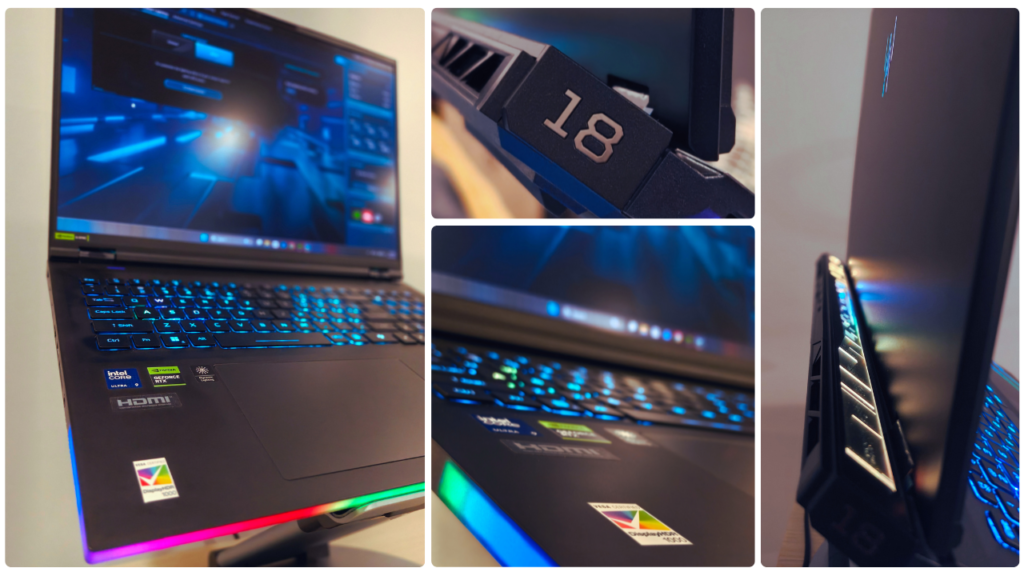
After Acer sent me their brand-new flagship, the Predator Helios 18 AI, and I pushed it to its absolute limits for a full week now, I can tell you this: the hunt for the ultimate desktop replacement is officially over.
This is a premium, high-performance beast featuring an Intel Core Ultra 9 processor and the jaw-dropping graphics power of NVIDIA’s next-gen Blackwell architecture.
Unboxing and Build Quality: 10/10
Alright, let’s get this thing open. The moment you see the aggressive Predator branding on the box, you know you are in for a treat. Cracking open the box for the Helios 18 AI feels less like unboxing a computer and more like opening a specialized toolkit for extreme performance gamers. Everything inside is packed with sophistication and precision.
The experience begins with a massive, dual-compartment presentation box that splits the package into two dedicated sections one for the laptop itself, and another that neatly houses the charger and additional toolkits. Opening it feels less like handling a computer and more like unboxing a luxury Rolex straight from the boutique.
Despite the premium price tag, it immediately feels worth every penny the moment you lift it out.
The aesthetic is sharp, modern, and screams “championship arena” with its dynamic MilkyWay RGB rear lighting. But Acer didn’t stop at the laptop itself. They threw in a dedicated Predator MagKey 4.0 eight-in-one accessory box containing swappable keycaps and a custom key-puller, alongside a specialized RAM thermal upgrade kit. It’s an easy 10/10 first impression.
What’s Inside the Box?
- 1 x Acer Predator Helios 18 AI Laptop
- 1 x 330W Heavy-Duty Power Adapter & Cable
- 1 x MagKey 4.0 Accessory Box (Swappable WASD & Arrow keys)
- 1 x Memory Thermal Pad Upgrade Kit
- 1 x Quick Start Guide
Setup & Connectivity: 10/10
I was incredibly relieved to find an absolute nexus of next-gen connectivity distributed along the sides and back of this chassis. Acer didn’t cut a single corner.
The physical setup is completely frictionless, but the real star of the show here is the inclusion of dual Thunderbolt 5 ports. Whether you are outputting to multiple high-end monitors or hooking up an array of lightning-fast storage drives for video editing, the bandwidth limits have been completely shattered.
Combined with onboard Wi-Fi 7 and a dedicated Killer Ethernet port, your latency stays underground whether you’re gaming wired or wireless.
Design and Ergonomics: 9/10
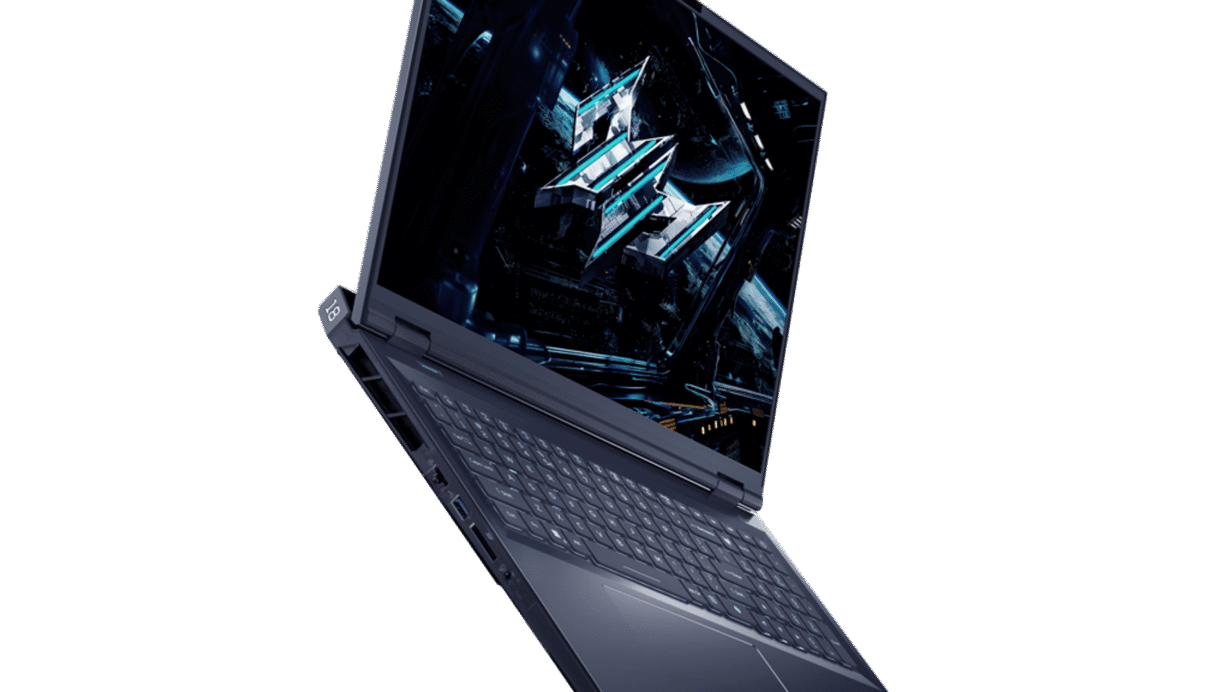
An 18-inch form factor is massive, but Acer manages the ergonomics beautifully. Despite its substantial 7.7-pound frame, the heavy base allows you to smoothly open the lid with a single hand.
The interior deck features a smooth finish that stays remarkably clean and fingerprint-free even after a grueling 10-hour session of work and play.
The bezels are razor-thin (just 6.5mm on the sides), allowing that colossal screen real estate to completely consume your field of view. It manages to look aggressive enough for a hardcore gaming den, but refined enough that its brute-force power wouldn’t look out of place in a professional rendering studio.
The Display: 4K Mini LED Brilliance: 10/10
- Size/Ratio: 18-inch, 16:10 Golden Aspect Ratio
- Resolution: WQUXGA Ultra-HD (3840 x 2400)
- Panel Tech: Mini LED with NVIDIA Advanced Optimus
- Brightness & Color: HDR Mode 1000 nits, 100% DCI-P3 Wide Color Gamut
- Speed: 120Hz Refresh Rate, 3ms Response Time
The moment I turned this on, I just said “wow.” This Mini LED display is an absolute game-changer. Thanks to the 1000 nits peak brightness, the contrasts are deeply cinematic. The blacks are perfectly deep, making colors pop in a way that regular laptop LEDs just can’t match.
With 100% DCI-P3 coverage and Calman verification, the color accuracy is so stunningly high that I could literally use this for professional-grade 4K video editing during the day and elite, immersive gaming at night. It is breathtaking.
Performance: Pure AI Brute Force: 10/10
This is where the Predator Helios 18 AI completely leaves the competition in the dust. My review unit is a powerhouse configuration engineered for split-second responsiveness:
- Processor: Intel Core Ultra 9 275HX CPU (24 Cores / 36MB Cache)
- Graphics: NVIDIA GeForce RTX 5080 Laptop GPU (16GB GDDR7)
- Memory: 32 GB DDR5 RAM (Massive 192 GB Maximum Capacity)
In fast-paced, heavy-hitting titles, the motion is so incredibly fluid it feels like a competitive advantage. Ray tracing and path tracing run effortlessly under the hood thanks to NVIDIA’s new Blackwell architecture and DLSS Multi Frame Generation.
What handles the heat? Acer’s 6th Gen AeroBlade 3D Fans. Featuring the world’s thinnest metal blades at a microscopic 0.05mm, they work alongside liquid metal thermal grease to keep the system rock-solid and stable. Performance doesn’t throttle or stutter; it just stays locked into peak execution.
Keyboard, Sound & Extras: 9/10
The typing and gaming experience on the MagKey 4.0 system is spectacular. The keys actuate with magnetic precision, giving a tactile, physical mechanical click at just 0.7mm of travel. Being able to swap out the WASD and arrow keys mechanically to suit your specific tactile preference feels incredibly premium.
For audio, the laptop features an integrated 6-speaker array powered by DTS X: Ultra Audio. It throws a surprisingly wide, directional soundstage that is immensely helpful for tracking enemy footsteps or enjoying a movie without immediately grabbing a headset.
To top it off, a dedicated PredatorSense hotkey sits right at your fingertips. It lets you customize your fan curves, system lighting, and overclocking profiles instantly without digging through endless Windows menus.
Value and Final Thoughts
Currently priced at $3,379.99 at Best Buy, the Predator Helios 18 AI is undeniably a premium investment. But you have to look at what you are actually getting. This isn’t just a laptop; it is a full-scale desktop replacement, an AI-accelerated productivity powerhouse, and a professional-tier creative studio wrapped into one portable package.
If you are a hardcore gamer, an early adopter, or a creator who refuses to compromise on hardware limits, this is the new king of the mountain. The Acer Predator Helios 18 AI is a masterpiece of speed, engineering, and visual brilliance.
I wholeheartedly recommend it ❤️
Get this Acer Predator Helios 18 from Best Buy
Extreme Performance & Heat Testing
Thermal Architecture & Cooling Technology: 10/10
When you are cramming an Intel Core Ultra 9 and an RTX 5080 into a portable chassis, heat is the ultimate enemy. If a laptop can’t cool itself, all that expensive hardware is useless. I’ve seen plenty of premium rigs turn into literal space heaters after 30 minutes of heavy rendering, but Acer’s thermal engineering here is an absolute masterclass.
The Helios 18 AI utilizes a massive, custom-engineered vapor chamber system coupled with vector heat pipes that efficiently pull heat away from the critical silicon. But the real secret weapon under the hood is Acer’s application of liquid metal thermal grease instead of standard thermal paste.
The heat transfer is so incredibly efficient that even during a back-to-back looping stress test, the palm rests and the keyboard deck stayed remarkably cool to the touch. It keeps the system running cleanly in its optimal thermal zone, ensuring that your frame rates never take a dive due to thermal throttling.
Fan Performance & Acoustics: 9/10
All that raw heat has to go somewhere, and that is where the 6th Gen AeroBlade 3D Fans come into play. Acer claims these feature the world’s thinnest metal blades at a microscopic 0.05mm, and honestly, the airflow they generate is insane. You can physically feel the volume of hot air being pushed out of the massive rear and side vents.
What impressed me the most was the acoustic management. In “Quiet” or “Balanced” modes during daily productivity or light editing, the fans are practically silent you won’t even know they are spinning. When you crank the laptop into “Turbo Mode” for hardcore gaming, the fans definitely spool up with a distinct jet-engine hum.
However, because of the bionic blade design, it’s a smooth, consistent rush of wind rather than a high-pitched, annoying whine. It’s a very clean acoustic profile that is easily masked by the laptop’s built-in 6-speaker array or a decent gaming headset.
Honestly, I absolutely love the fan output here; it’s a core component where gamers like us simply won’t compromise.